

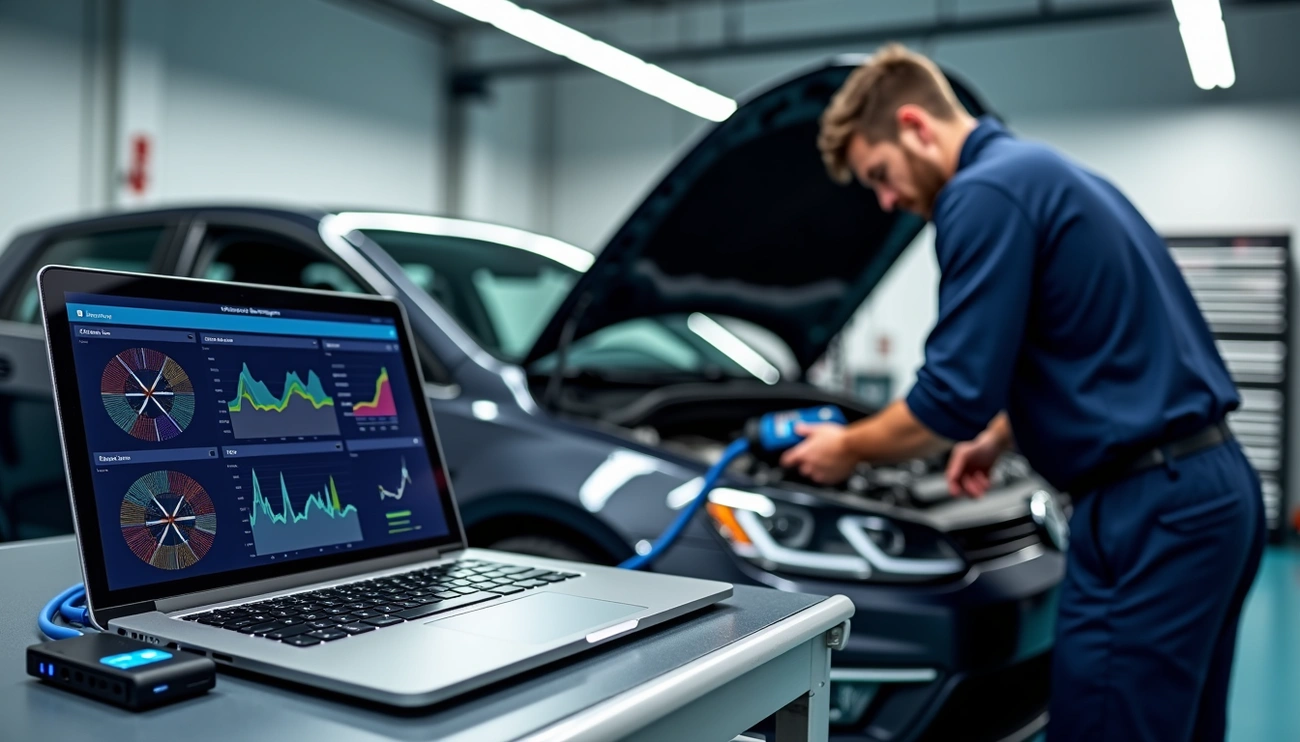

Technicians who use the ODIS diagnostic system fix more cars faster than those who rely on alternatives like Snap-on, Bosch, Autel, and Topdon. ODIS serves as the OEM diagnostic tool for Volkswagen Group brands and combines powerful diagnostic capabilities with manufacturer-specific communication protocols that ensure accurate and efficient vehicle repairs.
This complete system integrates 6154 for diagnostics and ELSA PRO for information and research. Technicians now have everything they need to tackle modern vehicle challenges. The VW ODIS software gives professionals access to official technical data, which helps them handle complex tasks from navigating security gateways to performing software updates and component protection. The system’s value becomes clear especially when you have to deal with control units, as it works according to the manufacturer’s specific communication protocols and reduces the risk of “bricking”. Technicians who want quick and accurate results need proper ODIS training that helps them service more vehicles in less time.
Understanding the ODIS Diagnostic Tool and Its Components
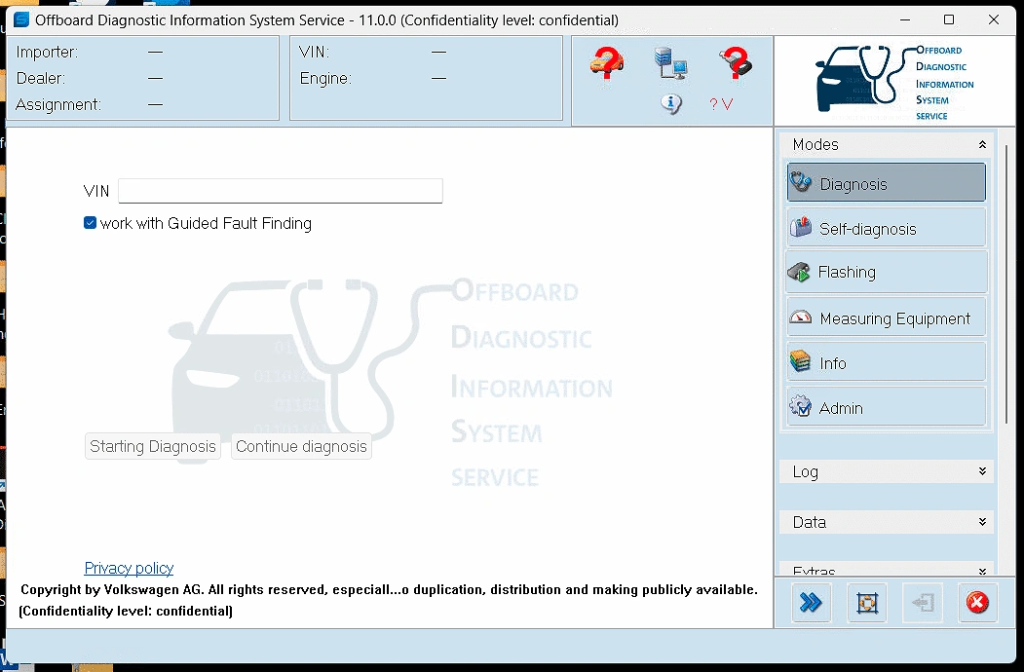
ODIS (Offboard Diagnostic Information System) is the life-blood diagnostic software for the Volkswagen Group. This factory-level system takes the place of older VAS-PC software and expands diagnostic capabilities by a lot for technicians who work with VAG vehicles.
What is ODIS? Overview of VW Group Diagnostic Software
ODIS is the official diagnostic platform built for Volkswagen Group brands. The software covers Volkswagen, Audi, Seat, Skoda, Bentley, Lamborghini, and even MAN trucks completely. Unlike other aftermarket tools, ODIS links straight to manufacturer servers in Germany through a secure, two-stage authentication process. This online connection lets technicians see up-to-the-minute vehicle data, technical bulletins, and factory repair procedures. ODIS does much more than just read fault codes—it’s a complete system for detailed vehicle diagnostics and repair.
ODIS Service vs ODIS Engineering: Key Differences
The ODIS platform comes in two different versions with specific functions:
| Feature | ODIS Service | ODIS Engineering |
| Purpose | Simple diagnostics, maintenance, repair | Advanced coding, module programming, customization |
| User Type | General technicians, mechanics | Engineers, developers, advanced users |
| Access Level | Limited programming capabilities | Full ECU programming, parameter modifications |
We designed ODIS Service (ODIS-S) for everyday diagnostic tasks and vehicle servicing. ODIS Engineering (ODIS-E) allows deeper system access for development and troubleshooting. Both versions get regular updates to work with new vehicle models and technical bulletins.
Role of ELSA PRO and 6154 VCI in the Diagnostic Workflow
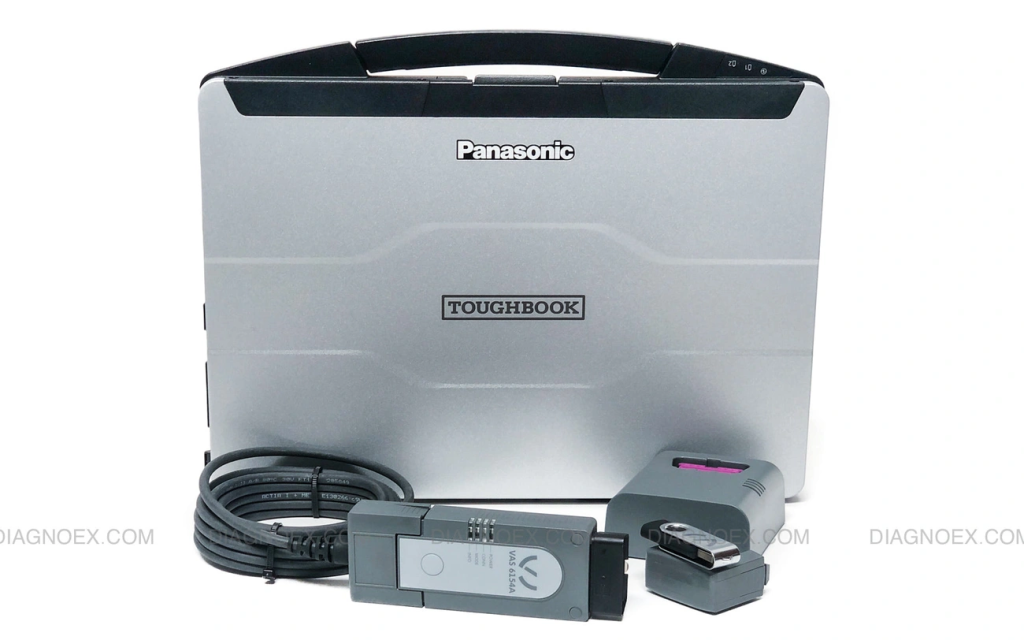
The ODIS ecosystem needs two more critical parts to work properly. ELSA PRO works among ODIS to give technicians detailed repair information, wiring diagrams, and technical documentation. The VAS 6154 VCI (Vehicle Communication Interface) connects the diagnostic computer to vehicle systems physically. This interface supports both USB and wireless connections, with speeds up to 300 Mbit/s. The VAS 6154 has the OKI chip that’s needed for UDS protocol support, which helps diagnose complex systems in newer VAG vehicles.
Setting Up ODIS Software: Installation and Licensing
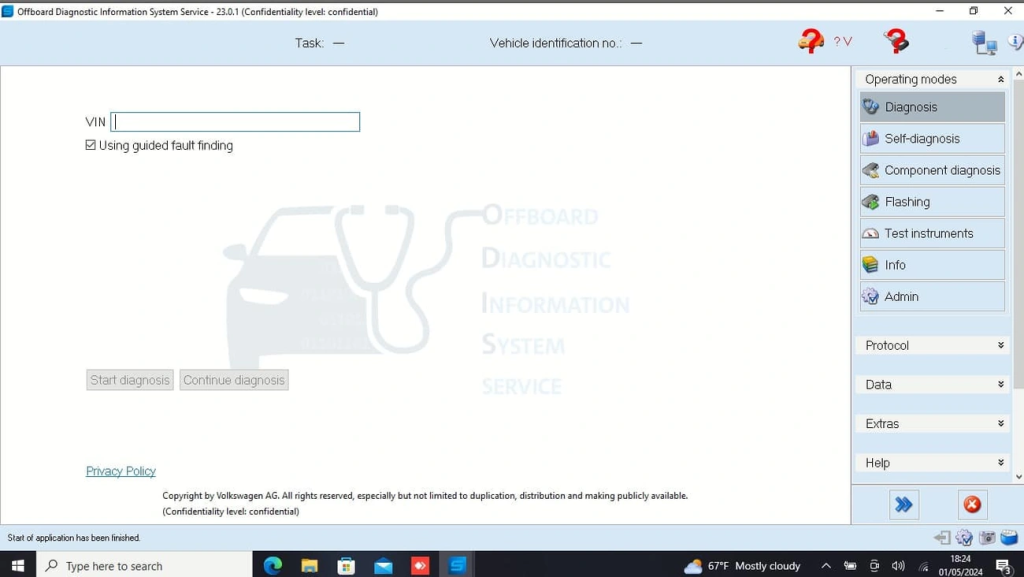
ODIS software setup requires careful attention to several steps before installation. The process includes creating an account, getting authorization, and making sure your computer meets the right specifications.
Creating an ERWIN Account and Getting ORGID
Your ODIS setup starts with registering on the erWin portal—Volkswagen Group’s online repair information platform. The registration is free and you can complete it through any brand-specific erWin websites (Volkswagen, Audi, Seat, or Skoda). Technicians need to apply for an OrgID/Global User ID after registration. This ID works as a workshop identification number for all VAG brands. The identifier works just like an authorized dealer number. Here’s how to get an OrgID:
- Go to “Vehicle diagnostics” in the erWin Product Assistant
- Choose “Diagnostics using a standard laptop” and “I want to perform safety-related work”
- Click “Apply for an OrgID/Global User ID”
The application needs complete workshop information, including a valid European VAT number. You’ll need to provide business verification documents, like registration extracts.
Generating the ODIS License File for Activation
After getting your OrgID authorization, you’ll need to generate a license file to activate the software. Start by downloading the hardware ID generation utility from the erWin portal. Run this utility on your ODIS installation computer to create a unique 32-digit hardware ID. Head to erWin > Vehicle Diagnostics > Step 3 to request your license file. For dual-brand licenses (Audi and VW), generate the VW license first. The Audi license comes next, and you should always use it for activation.
Minimum System Requirements for ODIS Installation
Make sure your computer meets these specifications before installing:
| Component | Minimum | Recommended |
| Operating System | Windows 10 (64-bit) | Windows 10 (64-bit) |
| Processor | 1 GHz | 2 GHz dual-core |
| RAM | 2 GB | 4 GB + virtual memory |
| Storage | 15 GB free space | 4 GB per brand + 1 GB per language |
| Display | 800 x 600 | 1024 x 768 |
| Connections | USB port, internet | USB port, internet |
Remember to turn off your antivirus software during installation to avoid setup issues.
From Basic Scans to Advanced ECU Programming
ODIS software empowers VW Group technicians with comprehensive functions that go beyond simple vehicle diagnostics. This powerful tool handles everything from reading fault codes to complex online programming.
Reading and Clearing Fault Codes with ODIS
Technicians can manage fault codes through several methods in ODIS. The Diagnosis tab displays control units and fault status, letting users clear codes with the red X icon. Users can also choose “Erase fault memory – overall system” under Special Functions > Software Versions Management to clear all control units simultaneously. The system requires battery voltage above 12V to ensure reliable results during fault code operations.
Key Coding and Immobilizer Adaptation
The key programming process in ODIS follows logical steps. Technicians start by connecting to the vehicle and selecting the Immobilizer Control Unit. The process continues as they activate programming mode, enter the Vehicle Identification Number (VIN) and security codes before adding the new key. ODIS uses factory servers for secure immobilizer adaptation to ensure proper integration with the vehicle’s immobilizer and central locking systems.
ECU Replacement and Online Programming Procedures
ODIS manages several critical tasks during replacement ECU installation. The system guides technicians through module identification, coding setup, component protection verification, version updates, and operational confirmation. Vehicles with immobilizers need both the original and replacement ECU PINs for used ECU adaptation. Component protection acts as a digital encryption system that monitors electronic components and their vehicle assignments.
Accessing Technical Bulletins and Workshop Manuals
Technicians can access Technical Product Information (TPI) bulletins through ODIS that document known issues and solutions. These bulletins contain detailed repair procedures, software references, and updated part numbers. The system provides complete workshop manuals, wiring diagrams, and repair procedures for all VW Group models. This documentation helps technicians ensure correct component installation and proper torque specifications.
Training, Support, and Avoiding Common Pitfalls
Success with ODIS relies heavily on proper training and genuine equipment. Workshops that invest in these resources fix more cars faster and avoid getting pricey mistakes.
Why Hands-On ODIS Training is Essential
Professional ODIS training courses combine classroom and workshop sessions with hands-on vehicle experience. This practical approach transforms technicians from “make-do” diagnostics to “can-do” diagnostics. Workshops that invest in training earn substantially higher hourly rates when using ODIS compared to aftermarket alternatives. Trained technicians can efficiently work through fault finding, wiring diagrams, software updates, and ECU coding without wasting valuable workshop time.
Using Genuine 6154a VCI vs J2534 Passthru Interfaces
J2534 passthru interfaces can retrieve simple fault codes and communicate with emission-related control units, but they have limitations. These interfaces are only required for emissions-based ECUs from 2004 onward. The genuine VAS 6154a VCI will give full protocol support and recognition by VAG backend systems. A decent passthru interface might be enough for simple diagnostics, but full coding and flashing operations—especially on newer models—are safer with genuine hardware.
Risks of Cloned Hardware and Unsupported Software
Unauthorized “clone” interfaces flood the market at a fraction of original prices. These clones might seem attractive, but they lack quality assurance testing and have caused many ECU failures. Rogue sellers often include laptops with non-standard software—a recipe for disaster. Using cloned equipment puts technicians at risk of damaging ECUs and endangering vehicle occupants.
Accessing VW Group Technical Helpline for Assistance
VW Group provides a free helpline for genuine tool users. The support team can remotely access technicians’ laptops to fix programming or coding issues. Independent workshops can ask about ODIS installation, GeKo, security, and component protection by contacting VW Group directly at independent.workshop@vwg.co.uk. Technical training questions should go to the National Learning Center at 01908 601595.
Conclusion
ODIS diagnostic system gives technicians working with Volkswagen Group vehicles a major advantage. This piece explores the detailed capabilities of this OEM diagnostic tool. You’ll learn everything from its basic components to advanced programming functions. ODIS stands out from aftermarket alternatives because it connects directly to manufacturer servers. This gives precise diagnostics and lowers the risk of control unit damage.
The difference between ODIS Service and ODIS Engineering shows how the platform meets various technical needs. Its integration with ELSA PRO and the VAS 6154 VCI creates a complete diagnostic ecosystem. The setup needs careful attention, especially when you create an ERWIN account, get an ORGID, and generate valid license files.
ODIS does much more than read fault codes. It excels at complex tasks like key coding, immobilizer adaptation, and ECU replacement. These advanced functions let technicians handle sophisticated vehicle electronics with manufacturer-level precision. Access to technical bulletins and workshop manuals helps ensure repairs meet factory specifications.
Hands-on training is vital to succeed with ODIS. Workshops that invest in proper education see higher efficiency and better hourly rates compared to those using only aftermarket tools. Using genuine hardware instead of cloned interfaces helps avoid pricey failures and potential safety risks.
The right tools and knowledge make the difference between struggling with diagnostic challenges and solving them quickly. ODIS is more than diagnostic software – it’s a complete solution that gives technicians the ability to work confidently on modern Volkswagen Group vehicles. Technicians who accept this manufacturer-specific approach service more vehicles in less time while delivering the highest quality repairs.
FAQs
1. What are the key advantages of using ODIS over other diagnostic tools?
ODIS offers direct connection to manufacturer servers, reducing the risk of control unit damage. It provides more accurate diagnostics and efficient repair capabilities for Volkswagen Group vehicles compared to aftermarket alternatives.
2. How does ODIS Service differ from ODIS Engineering?
ODIS Service is designed for general technicians and focuses on basic diagnostics and maintenance. ODIS Engineering, on the other hand, is for advanced users and provides full ECU programming and parameter modification capabilities.
3. What are the essential components needed to set up ODIS?
To set up ODIS, you need an ERWIN account, an ORGID (workshop identification number), a license file for activation, and a computer meeting the minimum system requirements. The VAS 6154 VCI (Vehicle Communication Interface) is also crucial for connecting to vehicles.
4. Can ODIS perform advanced tasks like key coding and ECU replacement?
Yes, ODIS can handle complex tasks such as key coding, immobilizer adaptation, and ECU replacement. It connects to factory servers for secure operations and guides technicians through the entire process, including coding and component protection.
5. Why is professional training important for using ODIS effectively?
Professional ODIS training is essential because it provides hands-on experience with the software and vehicles. Technicians who complete proper training can efficiently navigate complex diagnostics, coding, and ECU programming, leading to higher productivity and better hourly rates for workshops.